Public beta · in development
Family tree software that keeps your research on your own computer
Avus GT (the Avus Genealogy Toolkit, or AGT for short) is a desktop genealogy program. It imports GEDCOM files, so you can bring a tree across from the genealogy program you use now, and it keeps everything in one file that you control.
The public beta is open
Sign up to try Avus GT before release and help shape it.
This is a pre-release version, and features may change before release. Availability
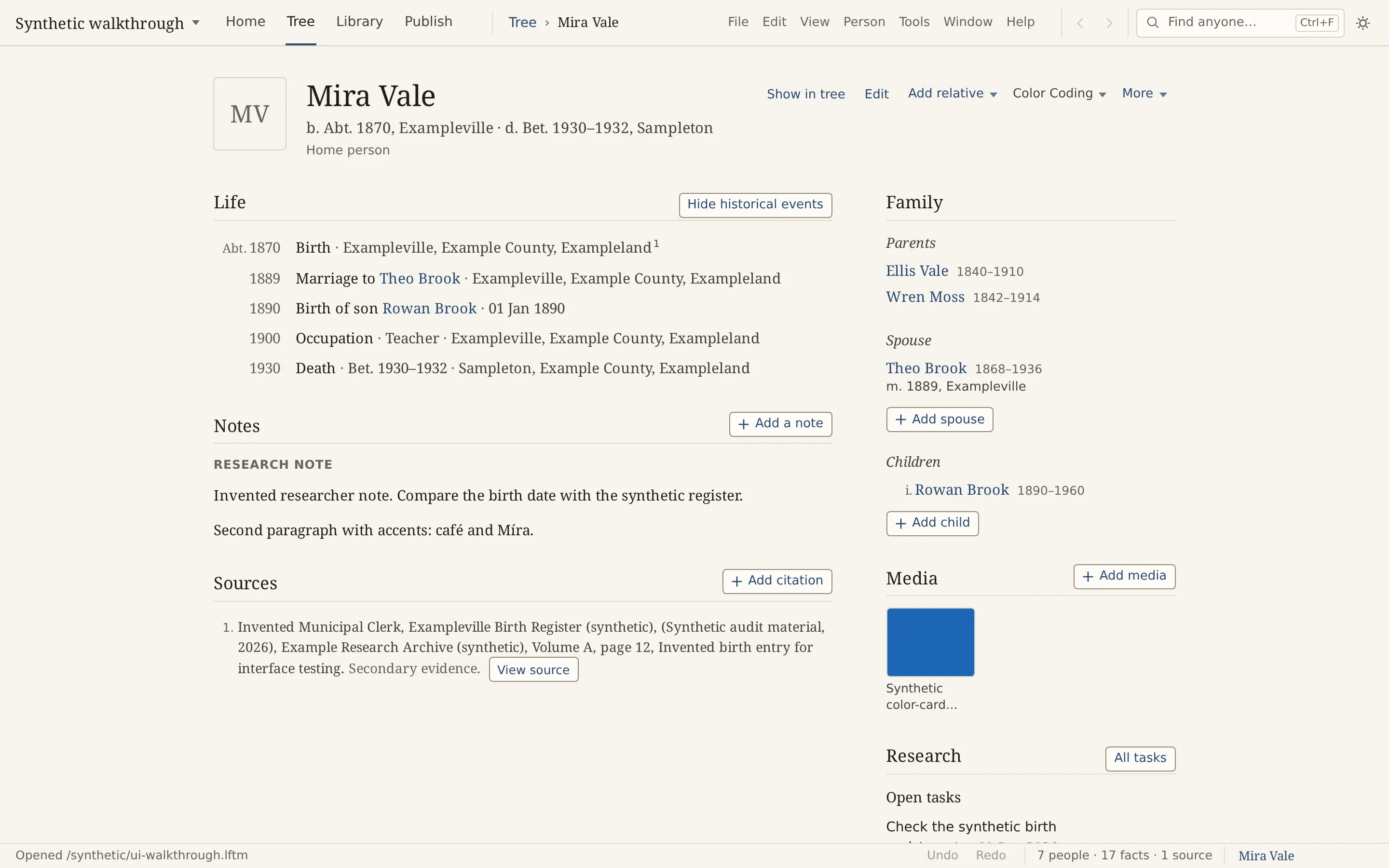
What it looks like
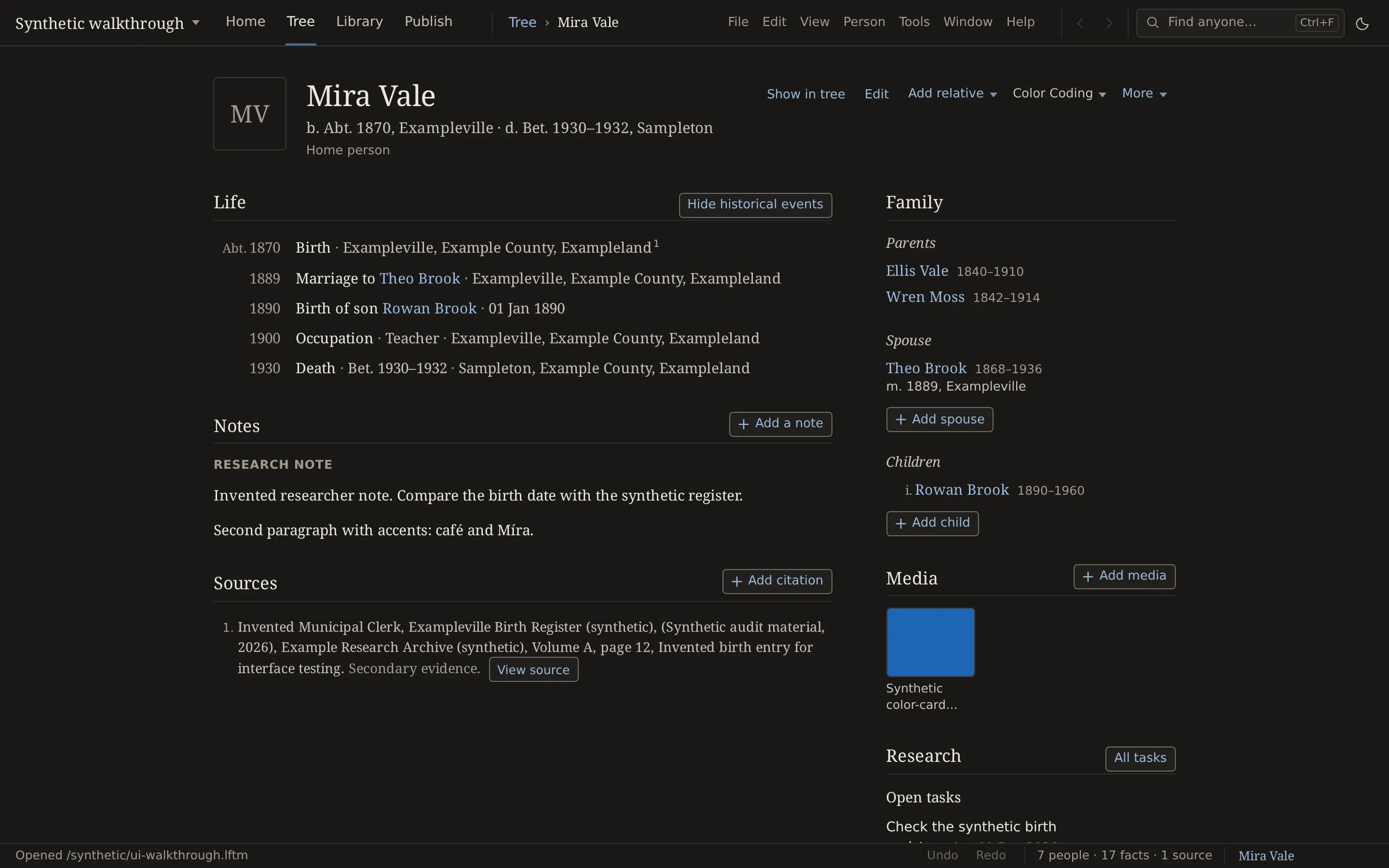
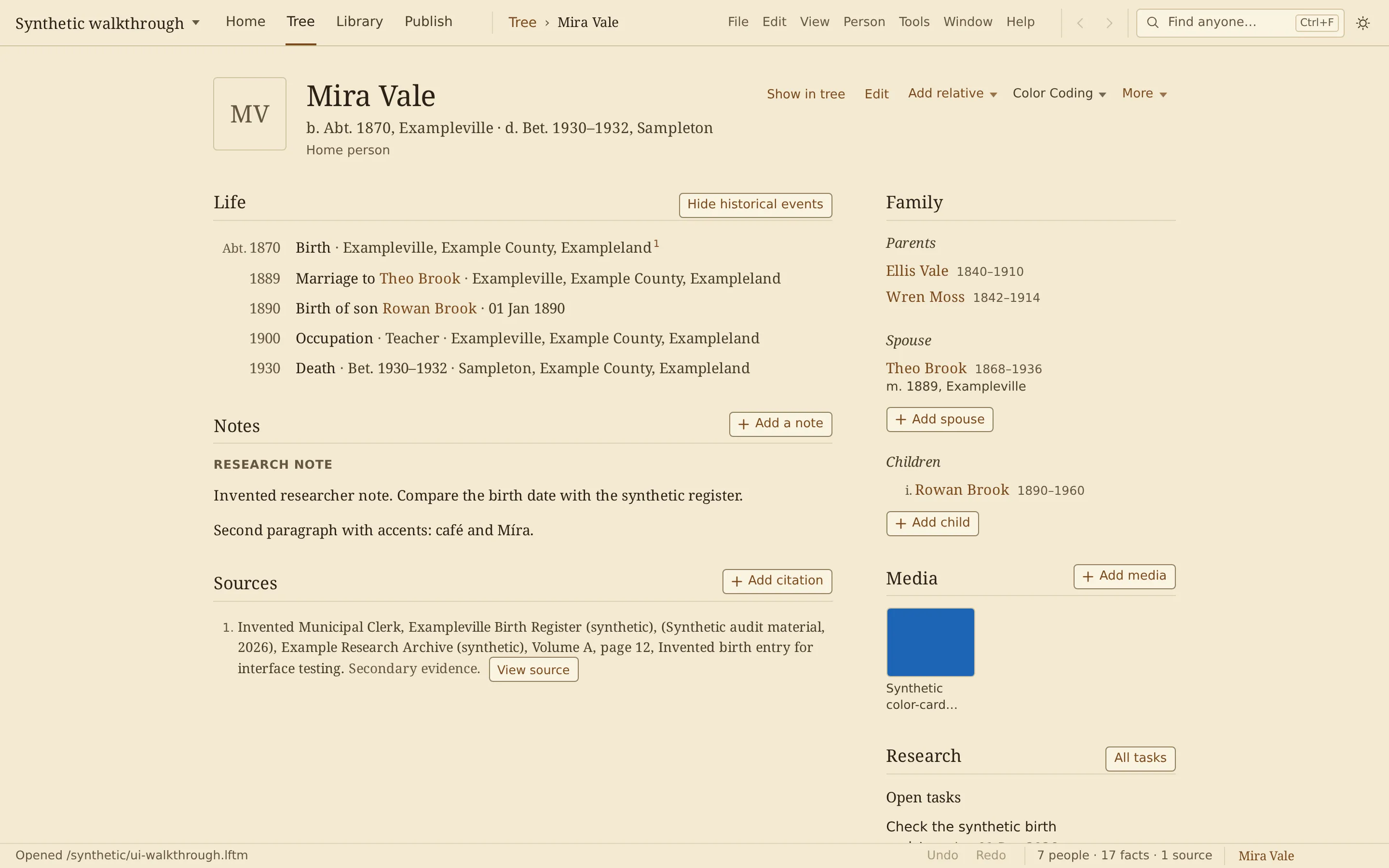
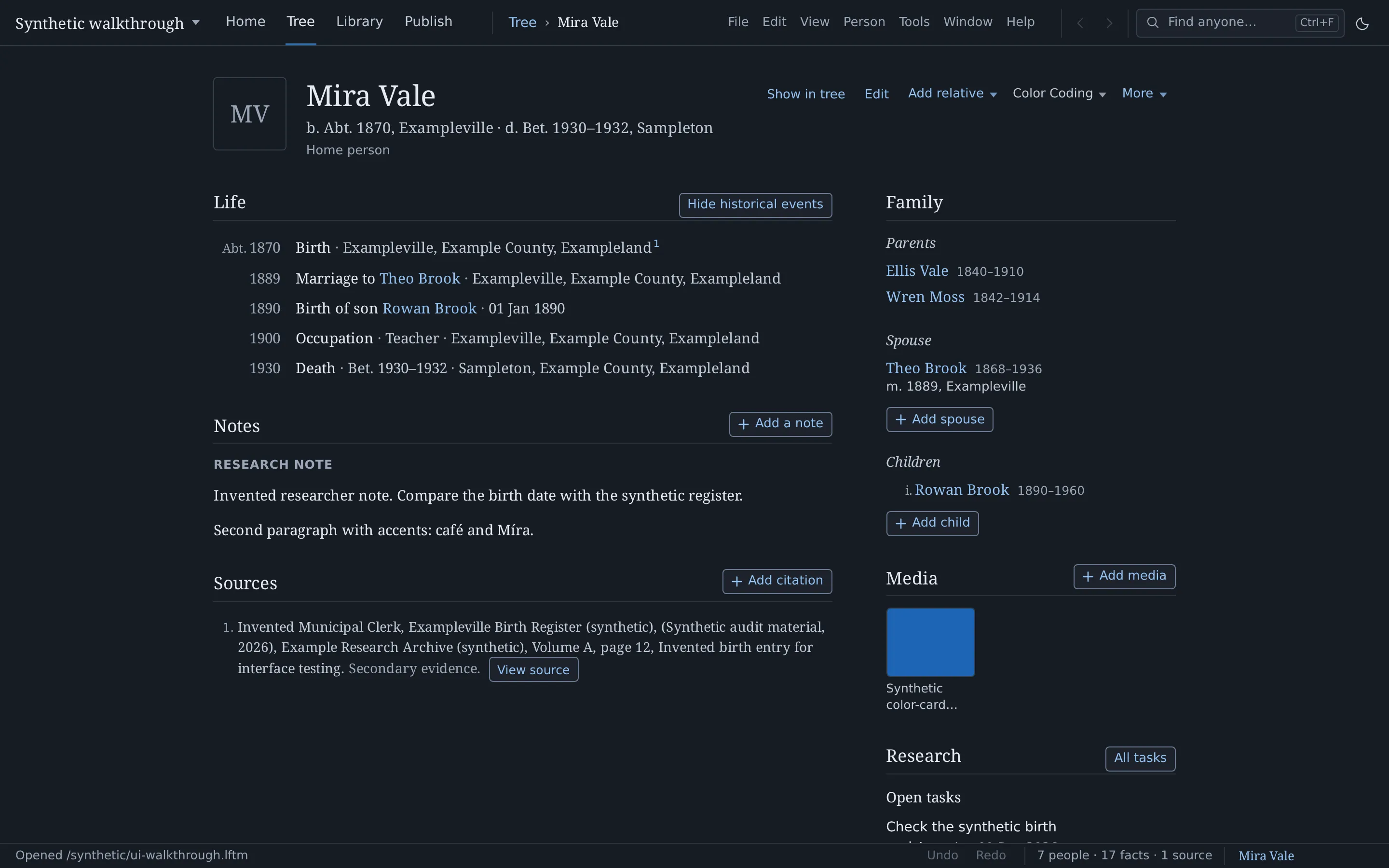
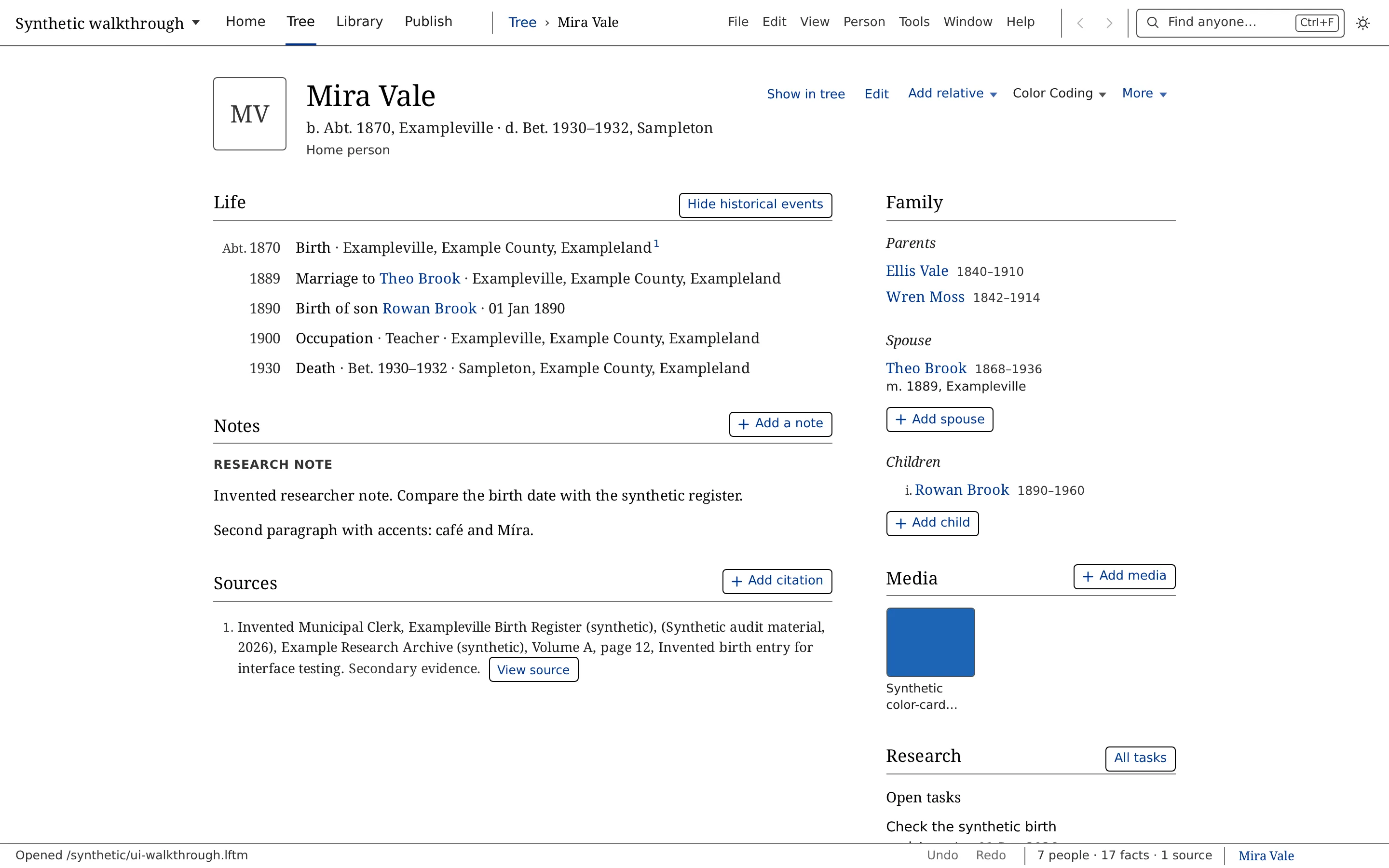
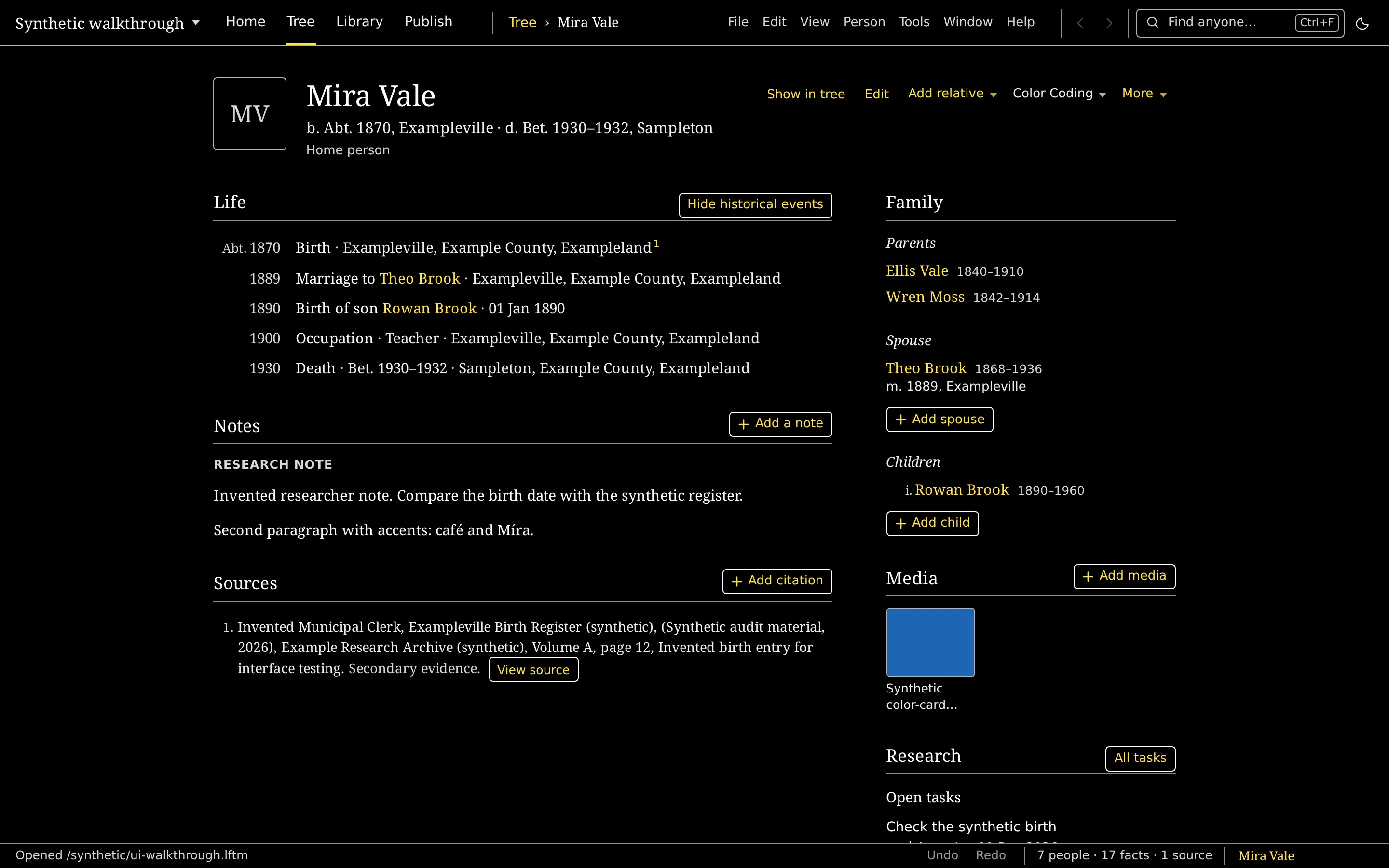
The Modern interface, the default, is a person-first layout with Home, Tree, Library and Publish along the top. A Classic interface is included too, and both come in seven themes.
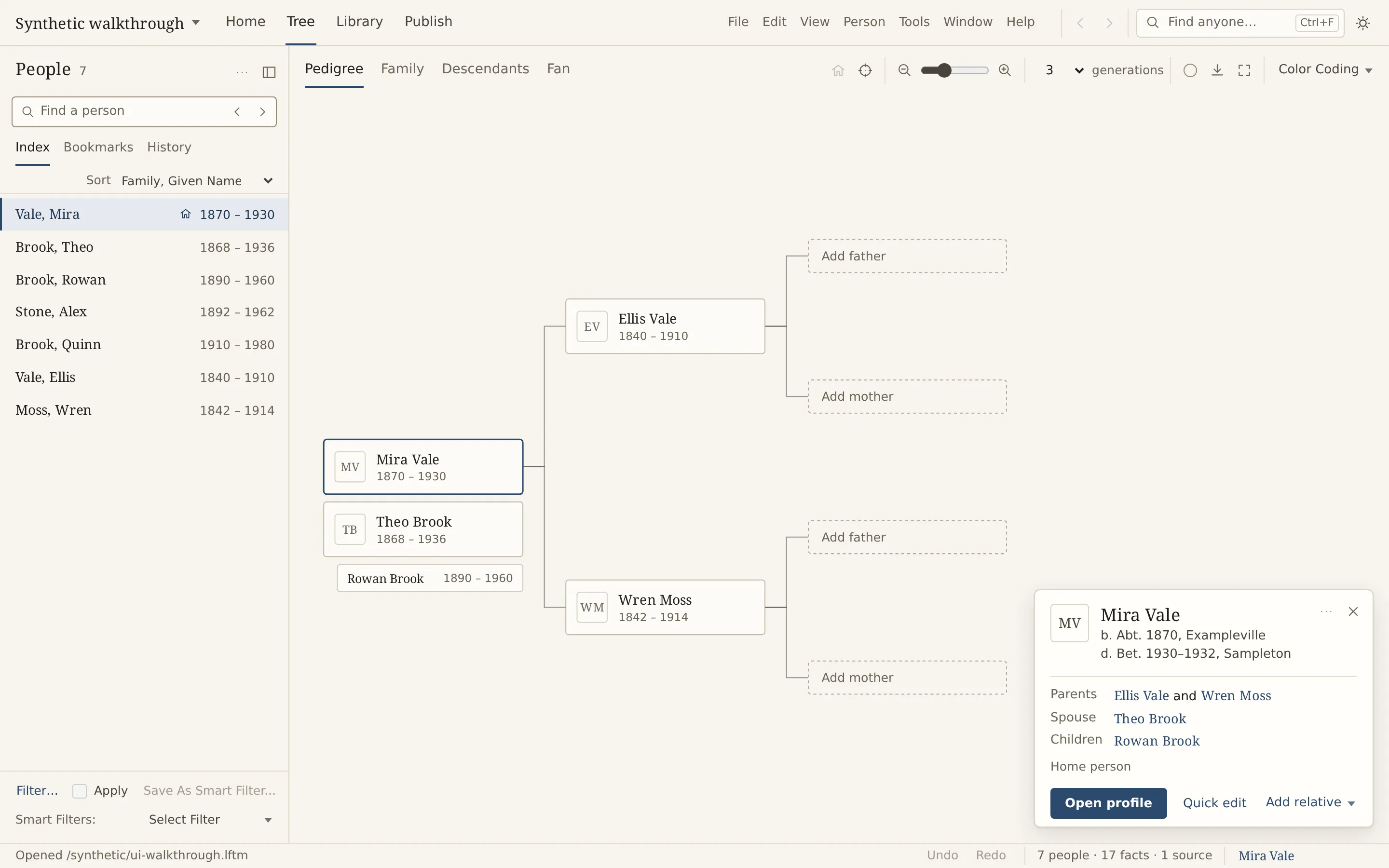
Tree views
Pedigree, family, descendant and fan views of the same tree. Select anyone to see their parents, spouse and children, then open their profile, make a quick edit or add a relative.
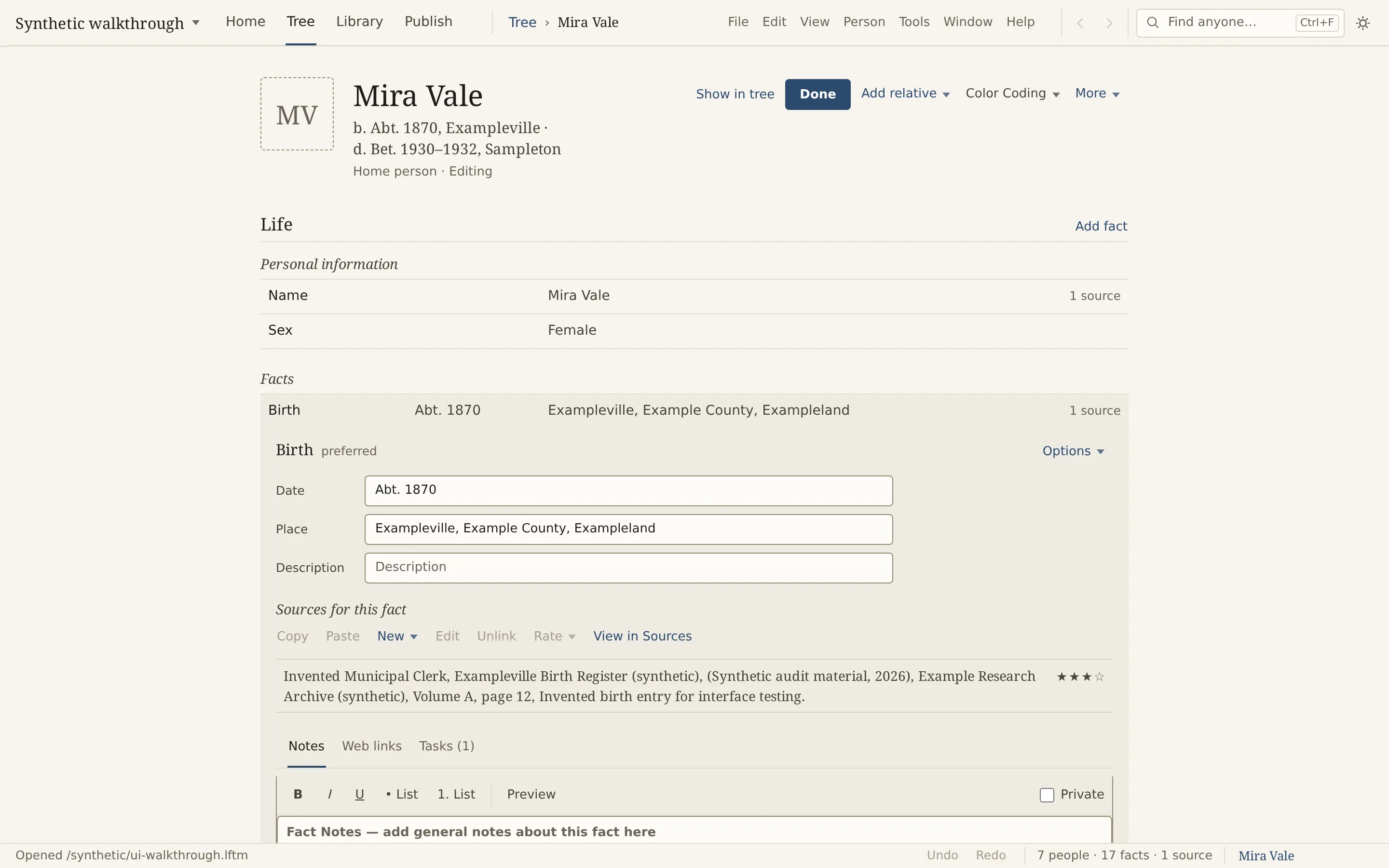
Add facts and cite your sources
Choose Edit on a person's profile to add a fact or change its date, place and description. Each fact keeps its own list of sources: add a new citation, paste one you copied from another fact, and rate how strong the evidence is.
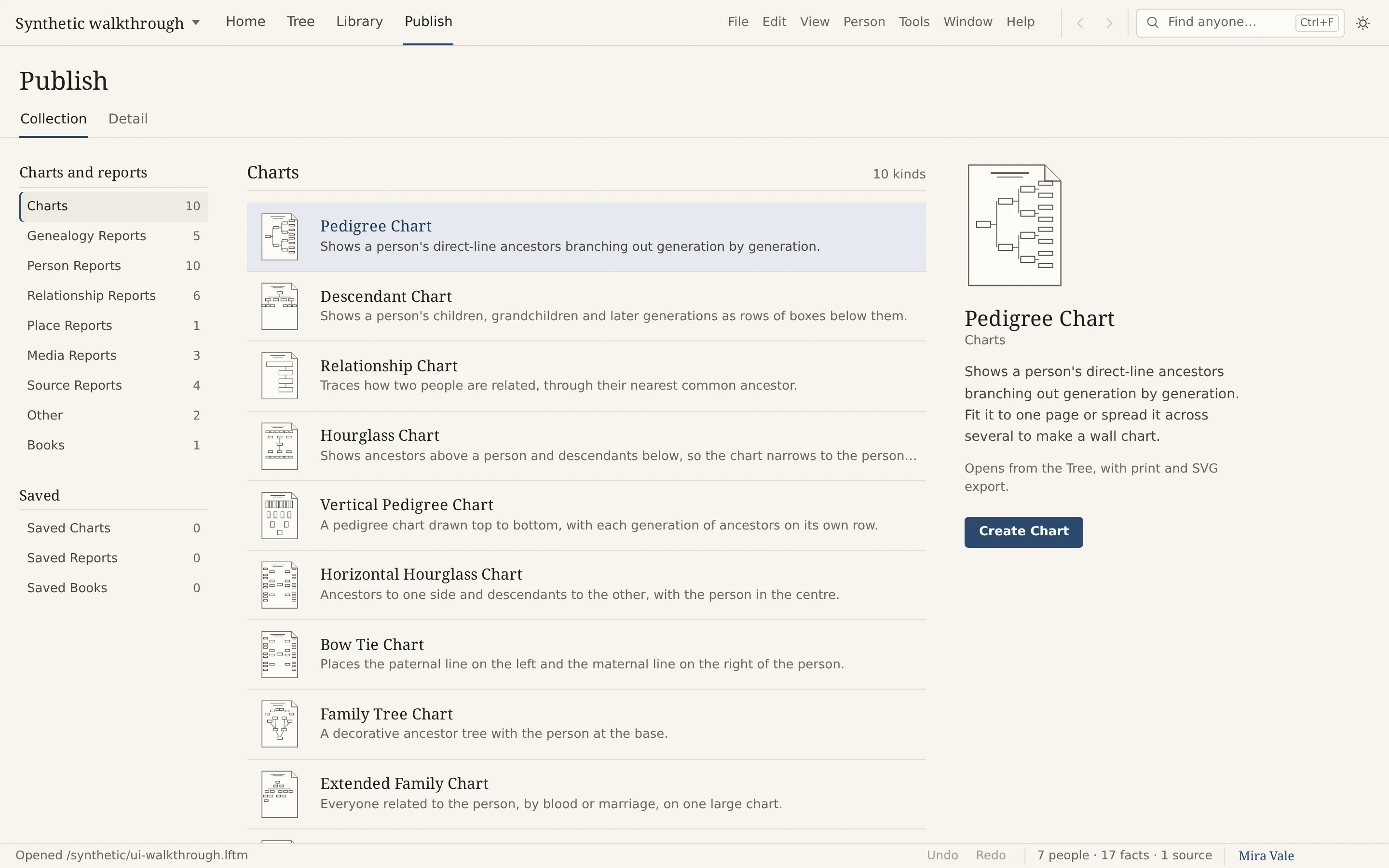
Charts, reports and books
Ten kinds of chart, plus genealogy, person, relationship, place, media and source reports, and books. Reports preview page by page and save as PDF, and living people can be left out of anything you publish.
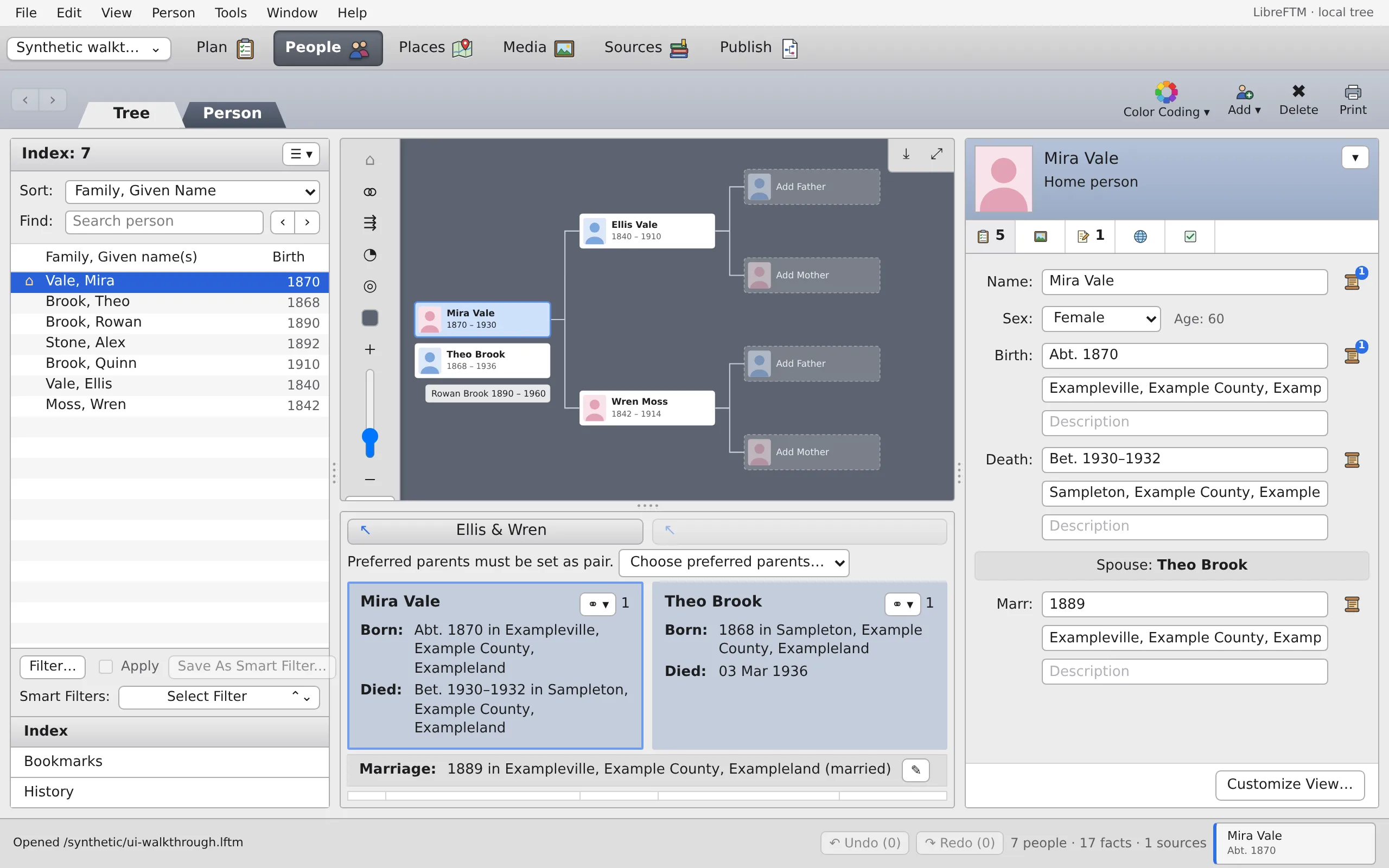
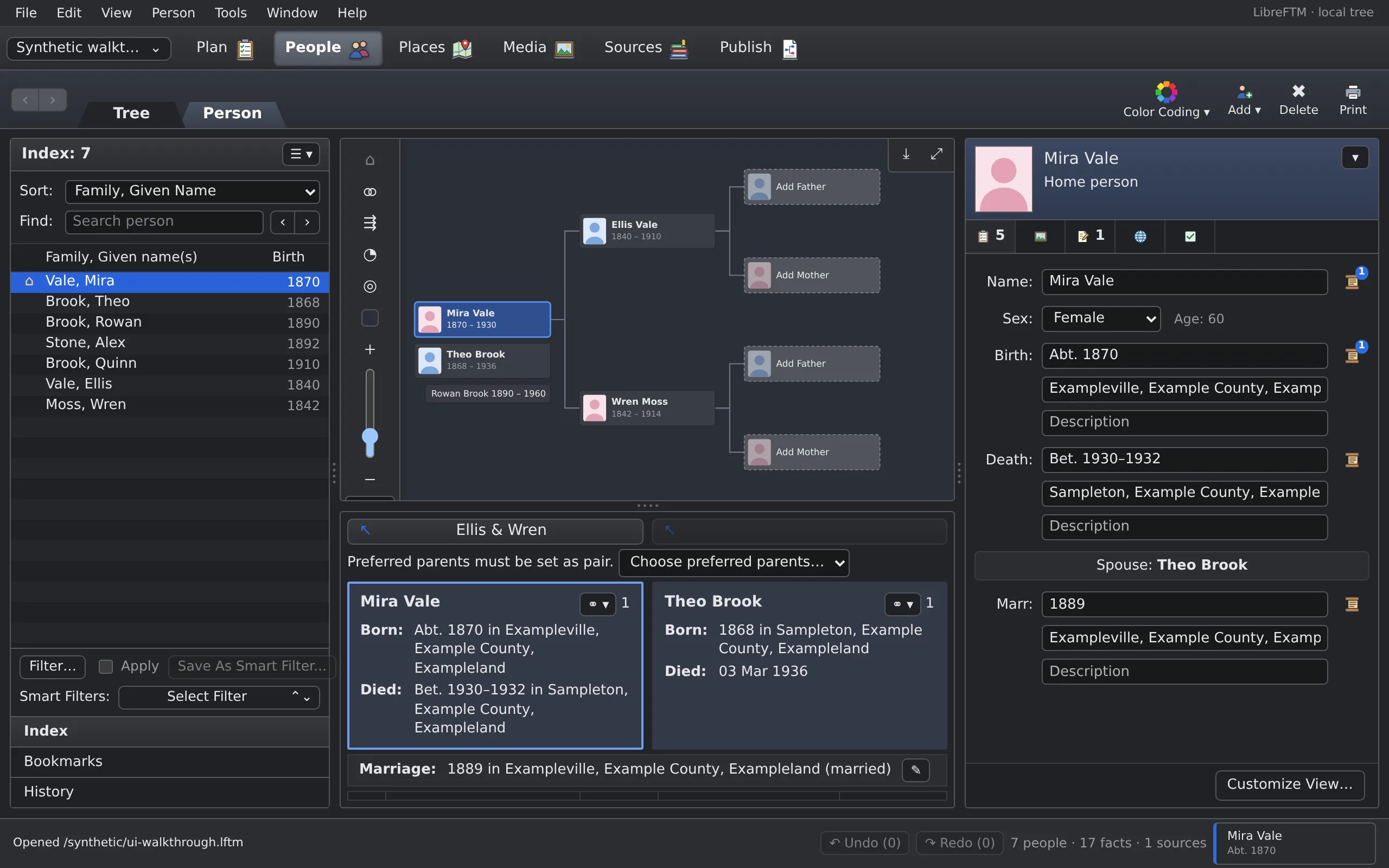
A Classic interface if you prefer one
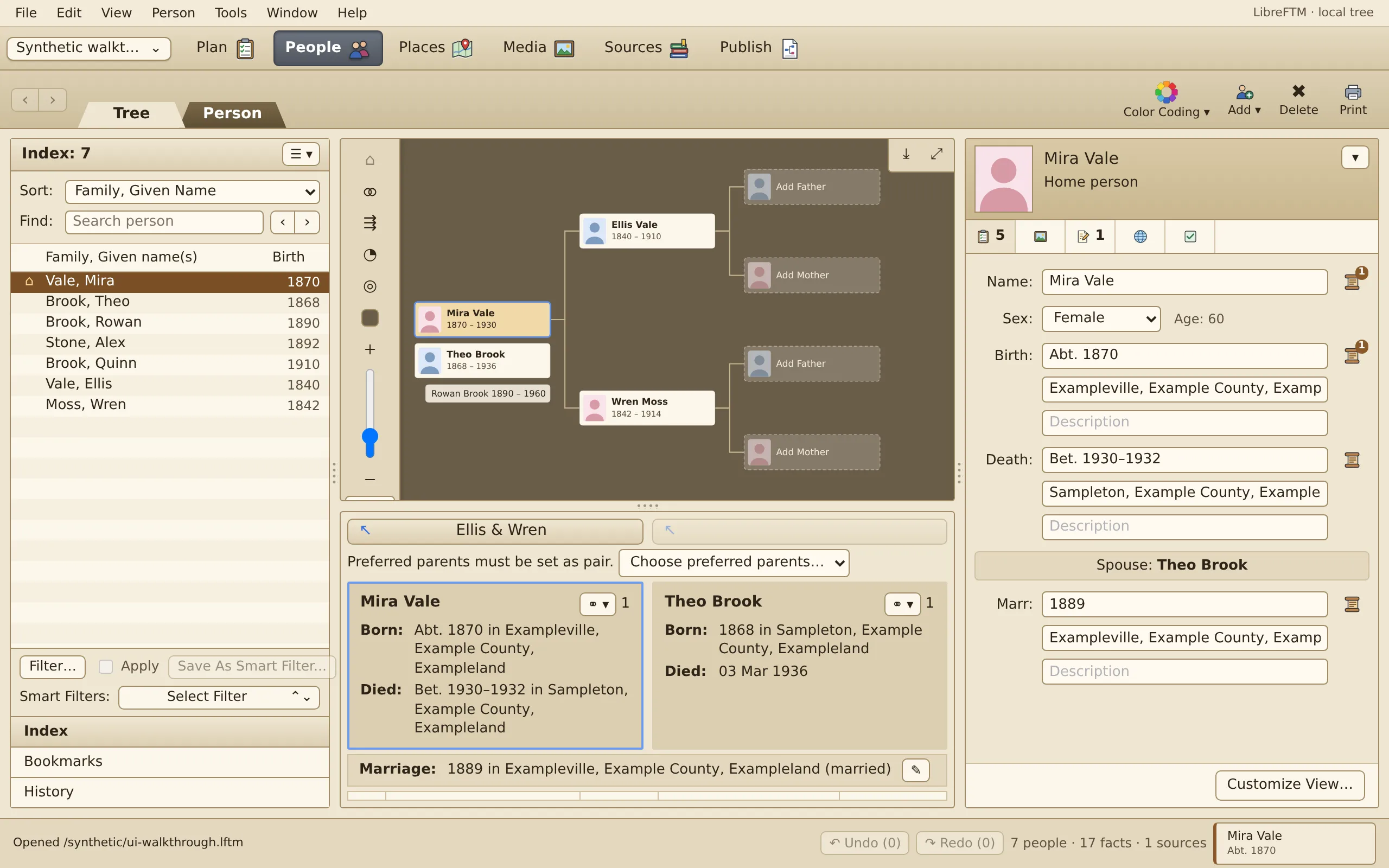
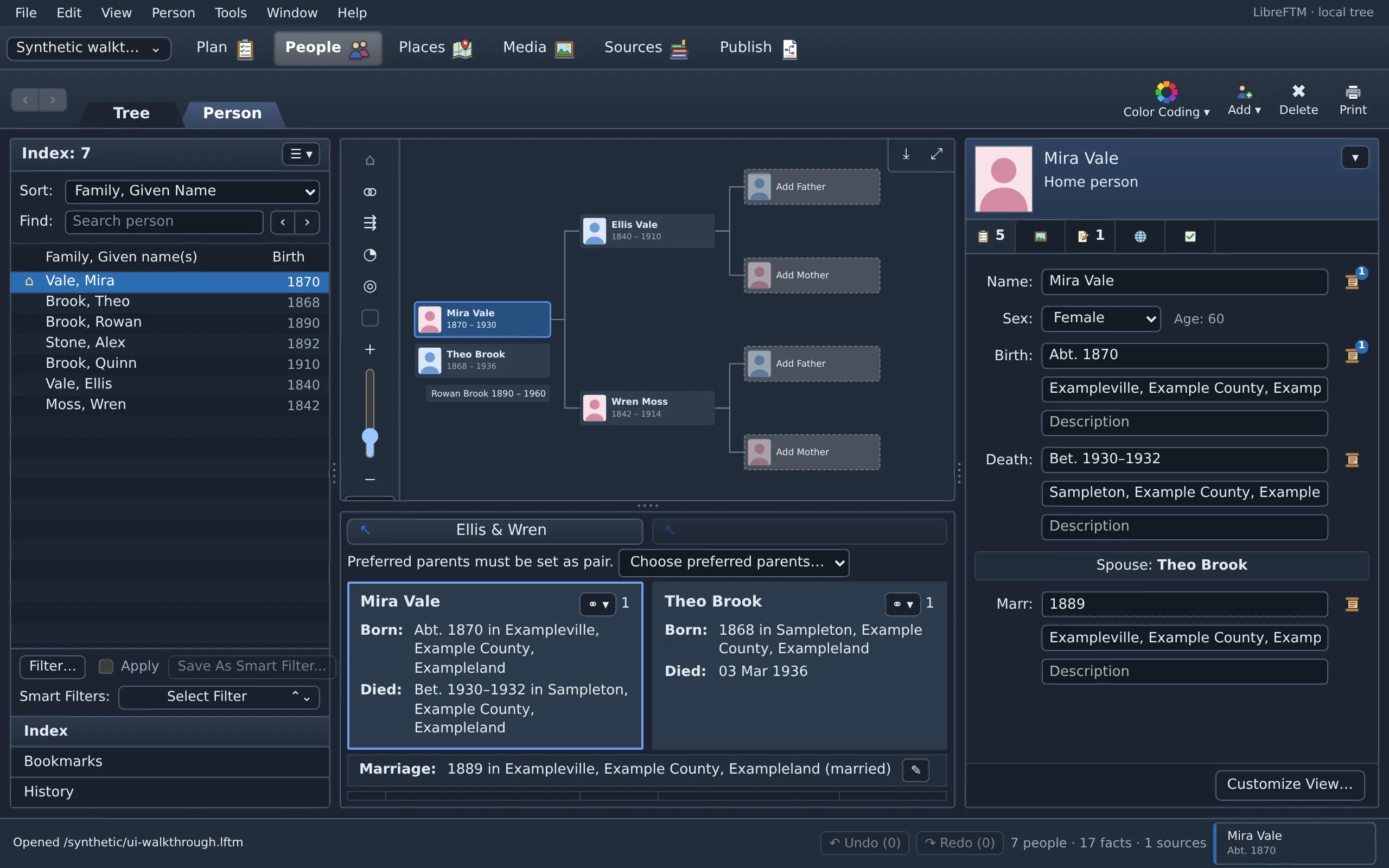
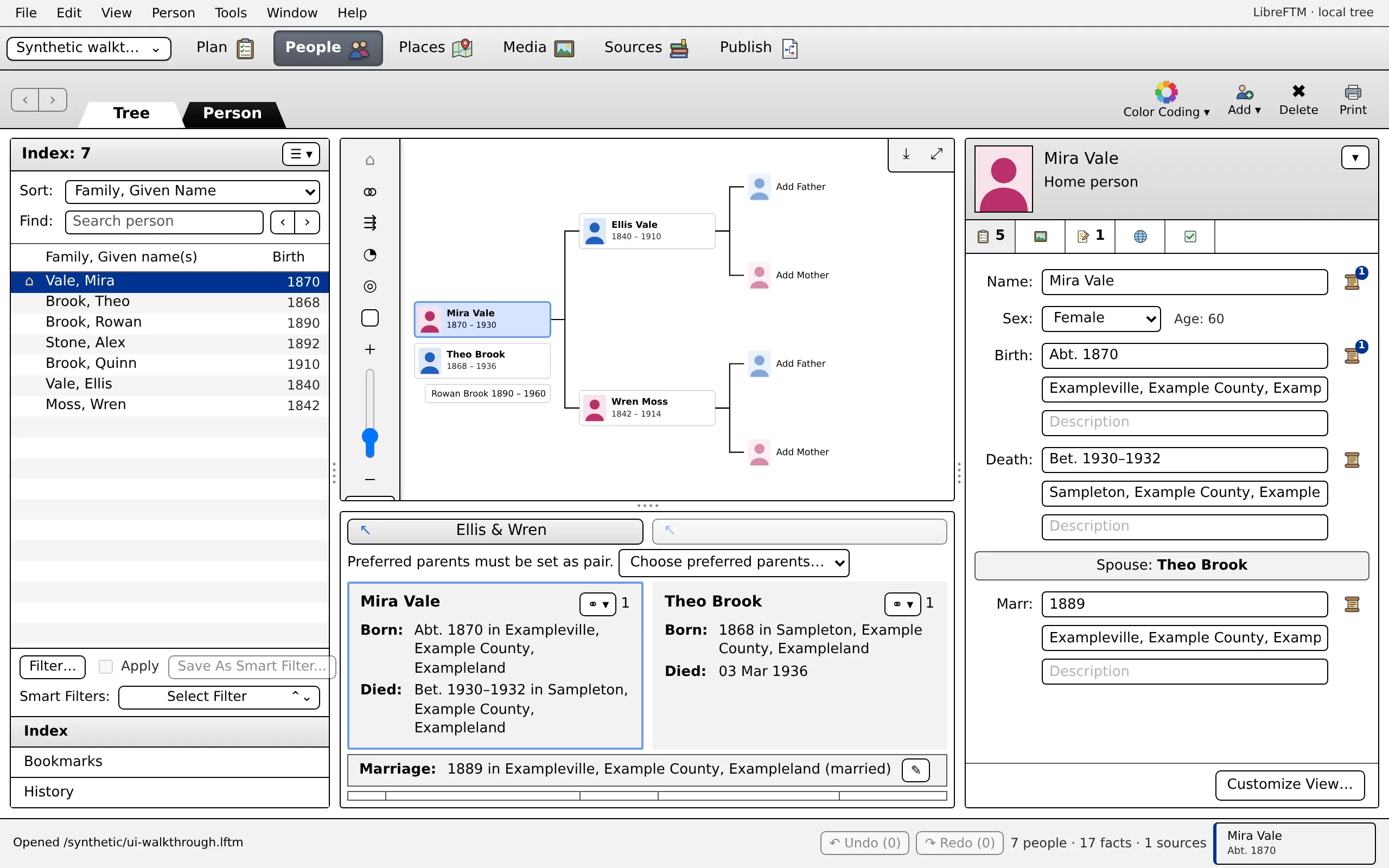
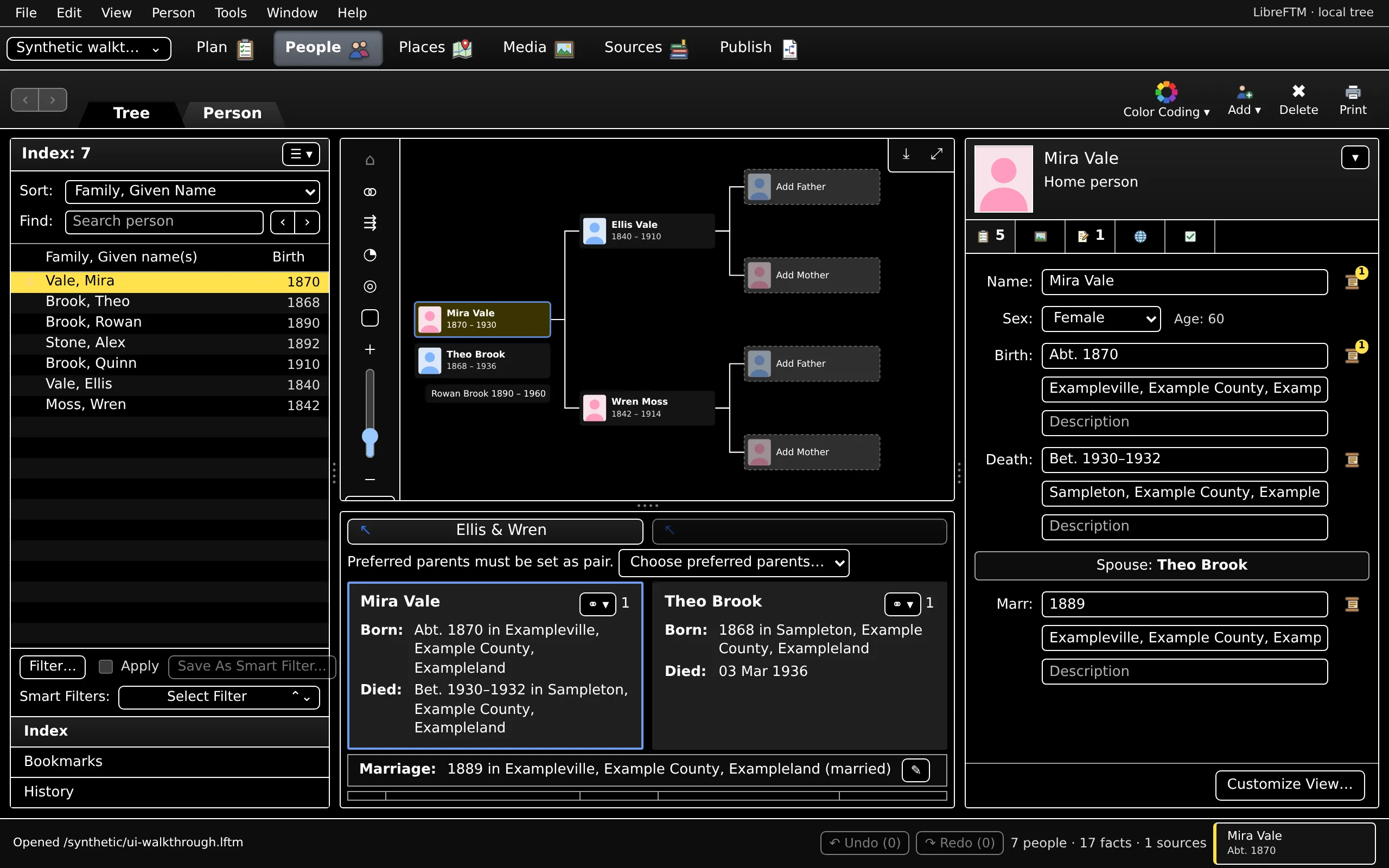
The Classic interface keeps the index, the tree and the editing panel side by side, with workspaces along the top. It uses the same trees, menus and undo history, and you can switch between the two from the View menu at any time.
Seven themes, in both interfaces
Pick Light, Dark, Sepia, Slate, High Contrast Light or High Contrast Dark, or choose System to follow your computer's light or dark setting as it changes. The theme applies to the Modern and Classic interfaces alike, including the tree and the Places map. Change it from the View menu, in Options, or with the theme button in the Modern top bar.
Modern interface
Classic interface
Features
Everything listed here works in the pre-release version. Details may change before release.
People and relationships
- Edit a person or a couple: facts, notes, media and web links
- Birth, adoptive, step, foster and guardian parents, each recorded separately
- Dates as uncertain as your evidence, such as “about 1870” or “between 1930 and 1932”
- Filters you can save, with ancestor and descendant conditions
- Portraits on tree nodes, and colour coding for ancestors or descendants
Sources and evidence
- Sources, citations and repositories
- A certainty rating from 0 to 3 on each citation
- Guided citation entry
- Notes and media on sources, citations and repositories
- Reference notes assembled from the citation
Places and maps
- Every place in your tree on an interactive map
- Search by a modern name while keeping the historical one
- Automatic lookup for places that aren't mapped yet
- Merge duplicate places, with undo
- Place editing and saved coordinates work offline
Privacy and safety
- Your tree is one file on your own computer
- Hide living people's details across the whole file with one setting
- One rule for living people across reports, charts, books and GEDCOM export
- Undo and redo for edits, imports and merges, with a log of every change
- Backup and restore from the File menu
GEDCOM
- Import and export GEDCOM 5.5.1 and 7.0
- Tags Avus GT doesn't recognise are kept and written back out
- Merge another GEDCOM file into an open tree as one undoable step
- Export only selected people, and leave out private records
- An import report that lists every problem it found
Research tools
- Spell check across facts, notes, media, tasks and sources
- Find and replace, with a preview before anything changes
- Date, relationship and Soundex calculators
- Warnings for unlikely birth, death and marriage dates
- Historical events on a person's timeline, and research tasks
Bringing your tree across
GEDCOM is the standard exchange format for family trees. Most genealogy programs can export it, and Avus GT reads it. Your original files are not changed. How long an import takes
-
Export a GEDCOM file
In the program you use now, export your tree as a GEDCOM file. Avus GT reads GEDCOM 5.5.1 and 7.0, in UTF-8, UTF-16 or ANSEL text encoding.
-
Import it
In Avus GT choose File → Import GEDCOM… and check the preview. Avus GT creates a new tree with people, facts, relationships, sources, citations with their ratings, notes and media links.
-
Read the import report
Problems such as duplicate children or impossible ancestor loops are listed line by line instead of stopping the import. Anything Avus GT doesn't recognise is kept with the tree and written back out when you export.
Compatibility
What the pre-release version reads and writes.
| Feature | Supported |
|---|---|
| GEDCOM 5.5.1 import and export | Yes |
| GEDCOM 7.0 import and export | Yes |
| Trees from other genealogy programs | Yes, through a GEDCOM export |
| Syncing with online tree services | No |
Availability
Avus GT is in development and is not on sale yet. You can sign up to try it in the public beta. Pricing and a release date have not been announced, and the features described on this page may change before release.
Planned platforms
- macOS (Apple Silicon and Intel)
- Windows (64-bit)
- Linux
How long imports and opening take
These are timings for GEDCOM files of different sizes, from importing each file to opening the tree it made. You only import a tree once. After that, opening it is the wait you'll notice.
| People in the tree | GEDCOM file | Import | Open |
|---|---|---|---|
| 1,000 | 0.2 MB | 2.3 s | 0.07 s |
| 5,000 | 1.2 MB | 6.3 s | 0.13 s |
| 10,000 | 2.3 MB | 11 s | 0.23 s |
| 25,000 | 5.8 MB | 28 s | 0.45 s |
| 50,000 | 11.7 MB | 1 min 5 s | 0.96 s |
| 100,000 | 23.6 MB | 2 min 57 s | 2.0 s |
Measured in November 2026 with a pre-release build on an Intel Core i5-8500 desktop (2018), 16 GB memory, hard disk drive, Linux. The trees are invented: families over several generations with births, marriages, deaths, places, sources and notes. Import runs from reading the file to the new tree being open, median of 3 runs. Open covers opening the file and loading the first person and the People list, median of 5 runs, and doesn't include starting the program. Times on your computer and with your tree will differ.