Avus GT user guide
How to build and look after a family tree in Avus GT: entering people and their facts, citing sources, adding pictures and places, and producing charts, reports and GEDCOM files.
Each page describes one task area in short, numbered steps, using the names of the menus and buttons you see on screen. Screenshots show an invented sample family; nobody in them is real.
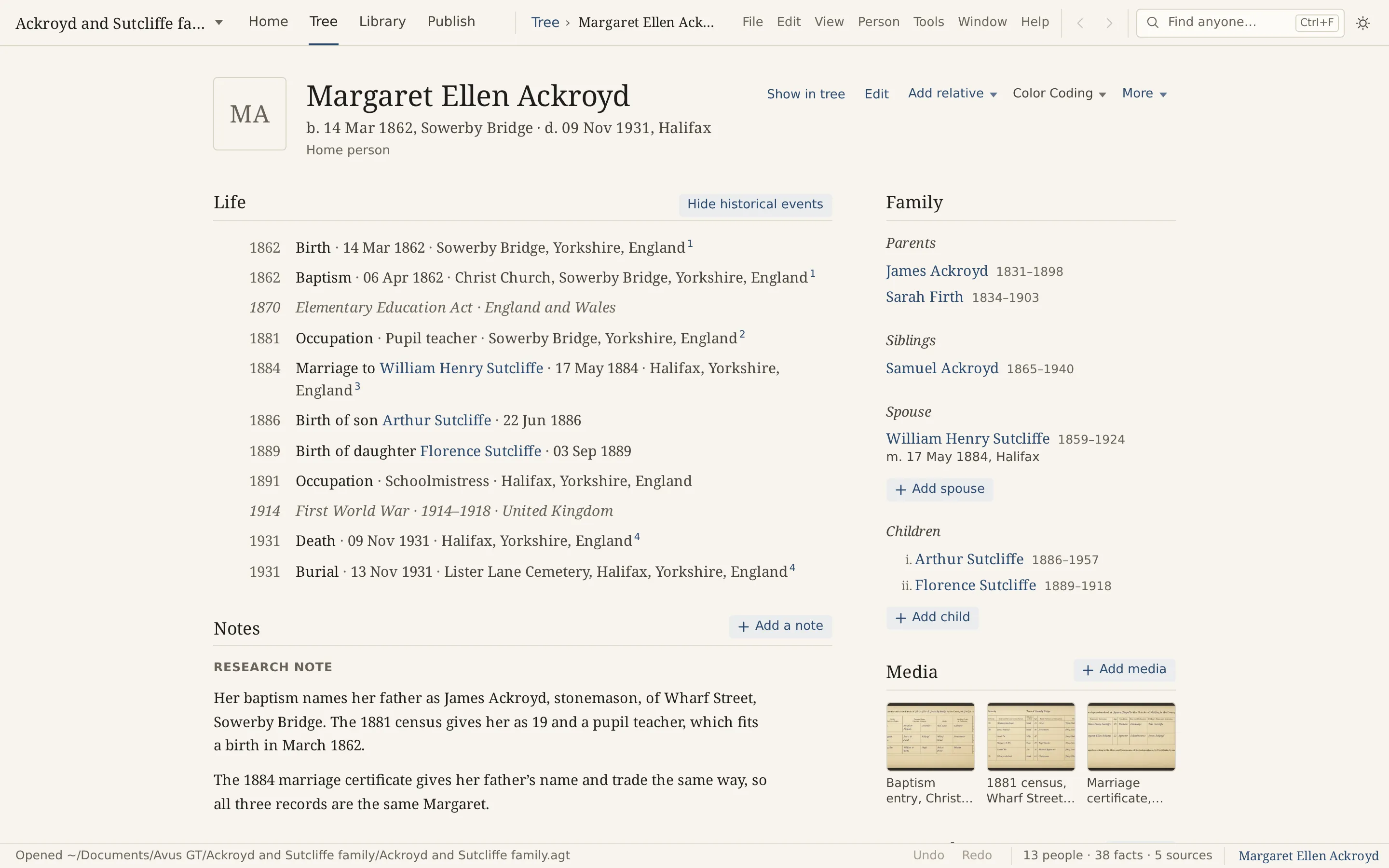
Modern and Classic
Avus GT has two interfaces that work on the same trees: Modern, the default, and Classic. This guide describes Modern first. Where Classic works differently, a short note headed “In the Classic interface” explains the difference. To switch, see Switching between Modern and Classic.
Menus and shortcuts
Menu paths are written with arrows: File → Export GEDCOM… means “open the File menu and choose Export GEDCOM…”. Shortcuts are written for Windows and Linux, such as Ctrl+S. On a Mac, use ⌘ instead of Ctrl and ⌥ instead of Alt.
Contents
Start here
- Getting started: download Avus GT, create or open a tree, and add the first person.
- Activating Avus GT Pro: turn on Pro online or on an offline computer, and move it to another computer.
- The window, interfaces and themes: the top bar, Modern and Classic, themes, spacing and the command palette.
Your family
- People and profiles: find people, read a profile, add relatives and edit a person.
- Relationships: parents, spouses and children, relationship types and spouse order.
- Facts, dates and notes: add facts, enter uncertain dates, mark facts preferred or private.
- Tree views and colour coding: pedigree, family, descendant and fan views, and colouring lines.
- Search and saved filters: find anyone, find and replace, and filters you can save.
Evidence and records
- Sources and citations: cite a source, rate the evidence and manage repositories.
- Media and portraits: add pictures and documents, set portraits and repair missing files.
- Places and maps: organise places, set coordinates and use the map offline.
Sharing and safety
- GEDCOM import, merge and export: bring a tree in, merge another file, and export a copy.
- Reports, charts and books: create, preview, print and save publications as PDF.
- Privacy, saving and backups: hide living people's details, undo changes and keep backups.
Reference
- Research tasks and tools: tasks, tags, calculators, spell check and tidying tools.
- Options: interface, files, backups, dates, names, places and warnings.
- Keyboard shortcuts: every shortcut, for Windows, Linux and macOS.
- Troubleshooting and questions: answers to common problems and questions.
Getting Avus GT
Avus GT is a free download for macOS and Windows: see the download page. Menus, labels and behaviour described here can change in later versions.
Menus, labels and features of Avus GT may change in later versions.