User guide · Your family
Relationships
Record parents, spouses and children, say what kind of relationship each one is, and choose which parents and spouse are shown first.
Every relationship is between a couple, or between a parent and a child. A child can have more than one set of parents, for example birth parents and adoptive parents, and each parent link has its own type. To add a relative, see Add a relative.
Where to edit relationships
- The profile's Family section. In reading mode it lists Parents, Siblings, Spouses and Children. Click Edit to get a table of every parent set, spouse and child, where you can change types and statuses.
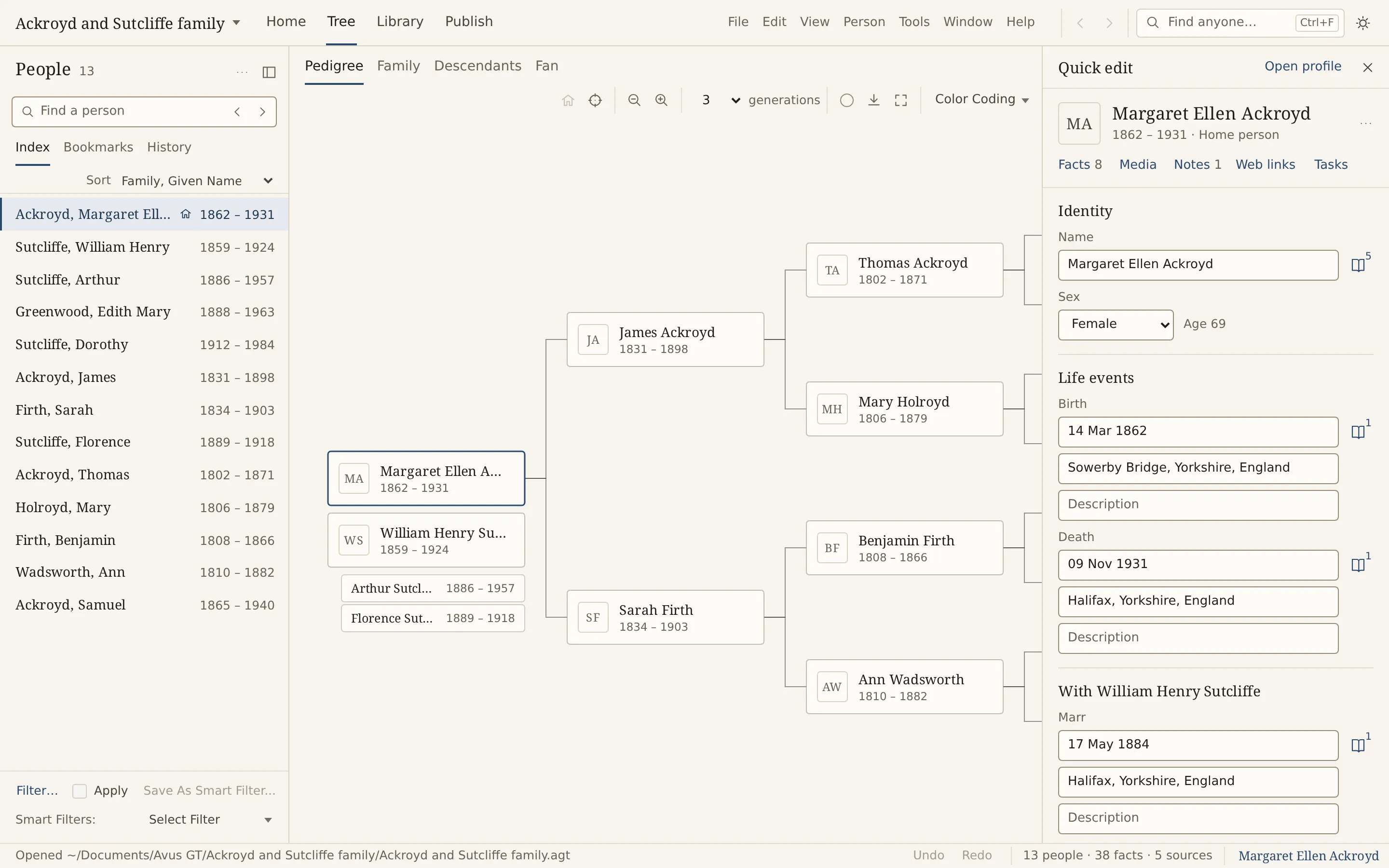
- Quick edit beside the tree. Select someone in the tree and click Quick edit. The panel shows their identity, life events and family, including the preferred parents and the spouse menu.
- Edit → Edit Relationship… (Ctrl+Shift+F3) opens the shown couple's marriage facts, notes and media.
- Edit → Manage Relationships… lists every couple and parent-child link in the tree.
Parents and relationship types
Each link between a parent and a child has one of these types:
Biological, Adopted, Step, Foster, Related, Guardian, Sealed, Private or Unknown.
To change a type:
- Open the child's profile and click Edit.
- In the Family table, find the parent and change the value in the Relationship column.
Preferred parents
When a child has more than one set of parents, one set is preferred. The tree, charts and reports follow the preferred set. To choose it, pick the set in the Preferred parents list in the Family section, or in Quick edit. Parents are preferred as a pair.
To remove a set of parents without deleting the people, click Edit on the child's profile and use Remove parent set in the Family table.
Spouses and partners
A couple has a type and a status, such as married, partnered, divorced, annulled or ongoing. Change them in the Family table in edit mode.
If someone had more than one spouse, one of them is the selected spouse: the one shown in the tree and whose children are listed first. On the profile, click Select beside another spouse to show them instead.
Spouse order
- Open the person's profile.
- Choose More → Set spouse order….
- Put the spouses in order and confirm.
Spouse order is kept when you export to GEDCOM and import the file again into Avus GT.
Marriage and other shared facts
Facts that belong to a couple, such as Marriage, are shared facts. They appear on both partners' profiles. To add one, edit either partner's profile, click Add fact and choose a fact whose type is Shared. A shared fact needs a spouse; add the spouse first.
An option in Tools → Options… → General, Upon death of either spouse, changes a couple's Ongoing status to Deceased when a death is entered.
Children
- Children are listed under the couple they belong to, or under “No other parent recorded”.
- When you add a child, Child's other parent chooses which couple the child joins.
- To put every family's children in birth order, choose Tools → Sort All Children By Birth…. It shows the current and new order first, and the change can be undone.
Change many relationships at once
- Choose Edit → Manage Relationships….
- Use Show relationships to list couples or parent-child links, and Show status to narrow the list.
- Select the rows to change, then choose a new relationship type or status.
Menus, labels and features of Avus GT may change in later versions.